

구현 목표
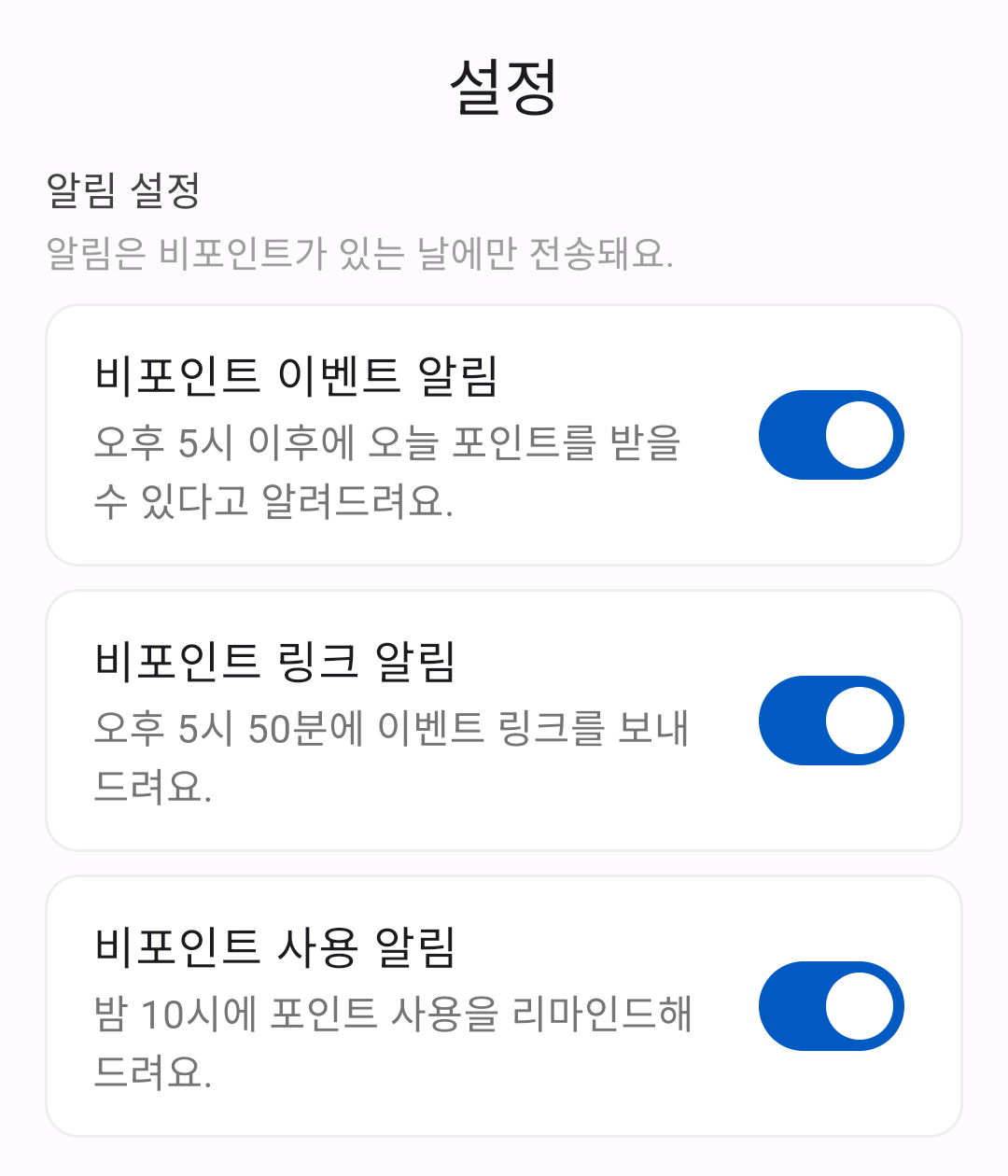
모든 사용자들에게 동일하게 전송되는 알림이 있는데,
설정 화면에서 각각의 알림을 개별적으로 On/Off 할 수 있도록 구현해 보았다.
Token과 Topic의 차이점
FCM(Firebase Cloud Messaging)을 통해 사용자가 알림을 수신하는 방식에는 대표적으로 두 가지가 있다.
- Token 방식: 특정 사용자에게만 알림을 보낼 때 사용
- Topic 방식: 다수의 사용자에게 동일한 알림을 보낼 때 사용
| 항목 | Token | Topic |
| 대상 | 단일 기기 (1:1) | 여러 기기 (그룹) |
| 사용 목적 | 사용자마다 다른 알림 전송 | 동일한 알림을 다수에게 전송 |
| 사용 예시 | 1:1 메시지, 주문 상태 등 | 이벤트, 공지 등 |
| 전송 방식 | 개별 토큰으로 전송 | topic으로 전송 |
| 유지 조건 | 앱 삭제·재설치 시 토큰 변경될 수 있음 | 구독 취소 전까지 유지됨 |
Token 등록 예시
{
  token:"APA91bGHXQBB...9QgnYOEURwm0I3lmyqzk2TXQ",
  notification: {
    title: "새 메시지",
    body: "친구가 메시지를 보냈어요"
  }
}
예시: 사용자가 새 메시지를 받음
→ 해당 사용자의 FCM 토큰을 알아야만 알림을 보낼 수 있다.
토큰은 앱을 재설치하거나 장시간 미사용 시 만료될 수 있기 때문에,
토큰을 최신 상태로 유지하기 위한 별도의 로직이 필요하다.
Topic 구독 예시
{
  topic: "event",
  notification: {
    title: "특가 이벤트",
    body: "오늘부터 이벤트가 진행됩니다."
  }
}
예시: 모든 사용자에게 이벤트 알림을 전송
await FirebaseMessaging.instance.subscribeToTopic('event'); // 구독
await FirebaseMessaging.instance.unsubscribeFromTopic('event'); // 구독 해제
→ "event" 알림을 구독한 사용자들에게만 알림이 전송된다.
서버에서 Topic으로 메시지 전송하기 (Node.js)
// The topic name can be optionally prefixed with "/topics/".
const topic = 'highScores';

const message = {
  data: {
    score: '850',
    time: '2:45'
  },
  topic: topic
};

// Send a message to devices subscribed to the provided topic.
getMessaging().send(message)
  .then((response) => {
    // Response is a message ID string.
    console.log('Successfully sent message:', response);
  })
  .catch((error) => {
    console.log('Error sending message:', error);
  });
메시지에 topic을 지정하면, 해당 토픽을 구독한 기기에만 알림이 전송된다.
클라이언트에서 주제 구독하기 (Flutter)
앱 첫 실행 시 모든 알림 구독
// main.dart
Future<void> subscribeToAllTopicsOnFirstLaunch() async {
  final prefs = await SharedPreferences.getInstance();
  final alreadySubscribed = prefs.getBool('fcmSubscribed') ?? false;

  if (!alreadySubscribed) {
    await FirebaseMessaging.instance.subscribeToTopic('all'); // 모든 주제 구독
    await prefs.setBool('fcmSubscribed', true);
  }
}
알림 개별 수신 설정
// 알림 토픽 상수 정의
class FcmTopics {
  static const String pointExists = "pointExists";
  static const String pointLink = "pointLink";
  static const String pointUseReminder = "pointUseReminder";
}

// 알림 설정 스위치 토글 시 알림 구독 또는 구독 해제
Future<void> _onSwitchChanged(String topic, bool value) async {
    final prefs = await SharedPreferences.getInstance();
    prefs.setBool(topic, value);

    if (value) {
      await FirebaseMessaging.instance.subscribeToTopic(topic);
    } else {
      await FirebaseMessaging.instance.unsubscribeFromTopic(topic);
    }
}
사용자는 `Switch` 위젯을 통해 각 알림 항목을 구독 또는 구독 해제할 수 있다.
플러터 FCM 연동 시리즈
참고 문서